Demo on a live account without showing customer data
Veil is a free Chrome extension that lets you demo your product on a real account. It masks money, emails and other sensitive data automatically, and it can blur, hide or rewrite any element you pick, such as a customer’s name or a whole panel. Your changes come back every time you open the page.
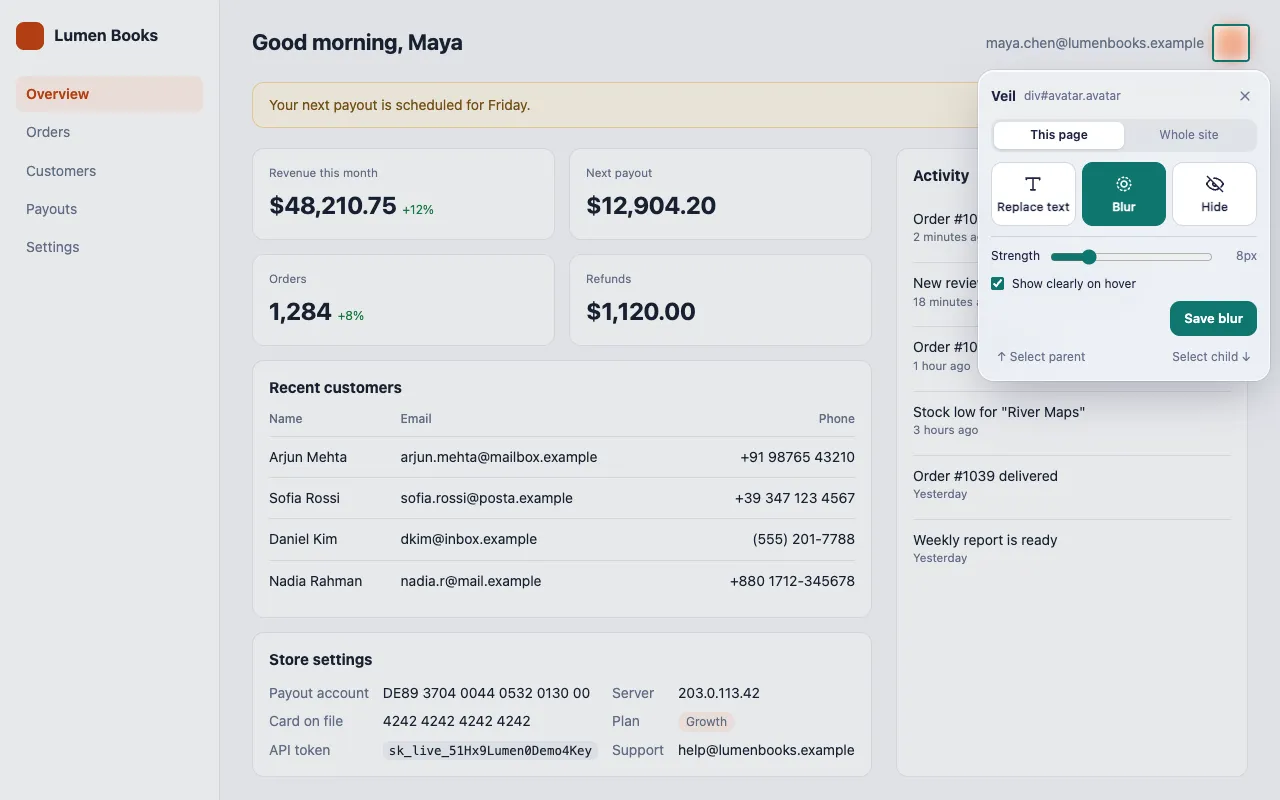
How do I hide customer data during a live demo?
Turn on Hide sensitive data on this site for the app you demo, then pick any remaining element that shows private data. Veil covers both on every visit.
- Click the Veil icon and turn on Hide sensitive data on this site.
- Select the types the app shows, such as Money, Emails and Phone numbers.
- For names, addresses or photos, press Pick an element (Alt+Shift+V) and choose Blur or Hide.
Money is the only type selected to start with, so check the others for each app.
Can I replace a real name with a fake one?
Yes. Pick the element and choose Replace text. You type the new text in place, and it keeps the site’s font, size and color.
- Press Enter to save, Shift+Enter for a new line, and Esc to cancel.
- Choose This page or Whole site to set where the change applies.
- Every save shows an Undo button for 5 seconds.
Replacing text on elements that a framework renders can occasionally break that part of the page. If it does, delete the rule, or pick a smaller element that contains only text. See Pick an element and change it, or read how to change text on any website.
Will my changes still be there after I reload?
Yes. Veil saves each change as a rule and applies it again every time the page loads, including on single-page apps.
Rules can stop matching when a site changes its layout. Veil also stores the start of the element’s text as a fallback, which recovers many of these cases. Check your demo pages after the app ships a redesign.
How do I set up the same demo on another computer?
Use Export in the popup to save all your rules to a JSON file, then Import it on the other computer. Import adds the rules to your existing ones and never overwrites them.
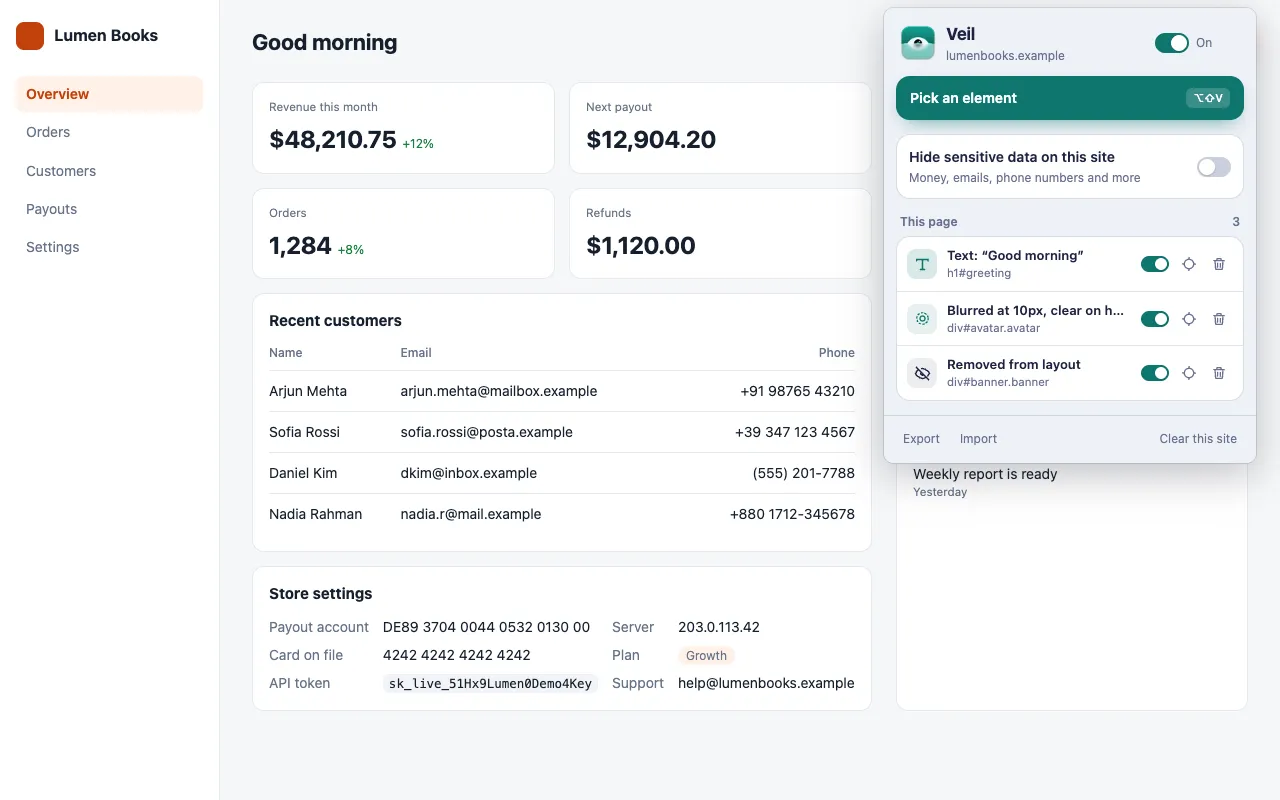
The popup lists every rule for the current site, and you can turn each one on or off, jump to its element, or delete it. See Manage your rules.
Is customer data still in the page?
Yes. Veil hides data on screen only. The page’s own scripts can still read the original data, including text you replaced, so Veil protects what your audience sees, not what the page loads.
Get Veil
Veil is free, open source under the MIT License, and needs no account. It makes no network requests, and your rules stay on your device.
Add Veil to Chrome. Recording the demo instead? Read how to hide sensitive data in screen recordings.