Share your screen, not your numbers.
Veil is a Chrome extension that covers money, emails, card numbers and API keys on any site before anyone else sees them. Try it on the page below.
Free and open source. No account, no tracking.
| Customer | Invoice | Amount | |
|---|---|---|---|
| Maya Chen | INV-2041 | maya@lumenbooks.example | $1,240.50 |
| Rafi Ahmed | INV-2042 | rafi@northwind.example | Tk 58,000 |
| Ola Berg | INV-2043 | ola@fjord.example | 1.240,50 € |
| Sam Ortiz | INV-2044 | sam@ortiz.example | CHF 1'250.00 |
- Card
- 4242 4242 4242 4242
- IBAN
- DE89 3704 0044 0532 0130 00
- Phone
- +880 1712-345678
- Secret key
- sk_live_51LumenExample0Key
- Webhook server
- 203.0.113.42
Without Veil, everyone on the call sees this.
Mask draws a solid bar over each match. The page itself does not change.
Hide makes each match invisible and keeps its space.
Blur softens each match. It can show clearly on hover, if you turn that on.
Watch Veil in action.
Twenty-three seconds of a billing page going from fully exposed to covered, then a blurred avatar. It has narration, so turn your sound on.
Want the detail? The full walkthrough on YouTube covers hiding sensitive data on a site, picking an element, and managing your rules.
Turn it on once. Veil finds the rest.
Switch on sensitive data for a site, and Veil covers every match on its pages, including content that loads later. Money is on by default. Choose the other types in the popup.
Press Alt+Shift+M to show the data again on the current tab.
- Money
- $1,240.50 ₹3 lakh
- Skips version numbers, years, percentages and phone numbers.
- Emails
- jane@example.com
- Needs a name, an @ and a domain.
- Phone numbers
- +880 1712-345678
- 9 to 15 digits. Dates and 1 234 567 style amounts are skipped.
- Card numbers
- 4242 4242 4242 4242
- Must pass the Luhn checksum that every card number has.
- IBANs
- DE89 3704 0044 0532 0130 00
- Must pass the IBAN checksum.
- API keys
- sk_live_… ghp_… AKIA…
- Known key formats only, also inside code elements.
- IP addresses
- 192.168.1.10
- IPv4 only.
- Your own words
- Project Falcon /INV-\d+/
- Plain text or a regular expression, one per line.
For everything else, point at it.
Names, addresses and customer photos have no reliable format. Pick them yourself: click the toolbar icon, press Alt+Shift+V, or right-click and choose Veil this element.
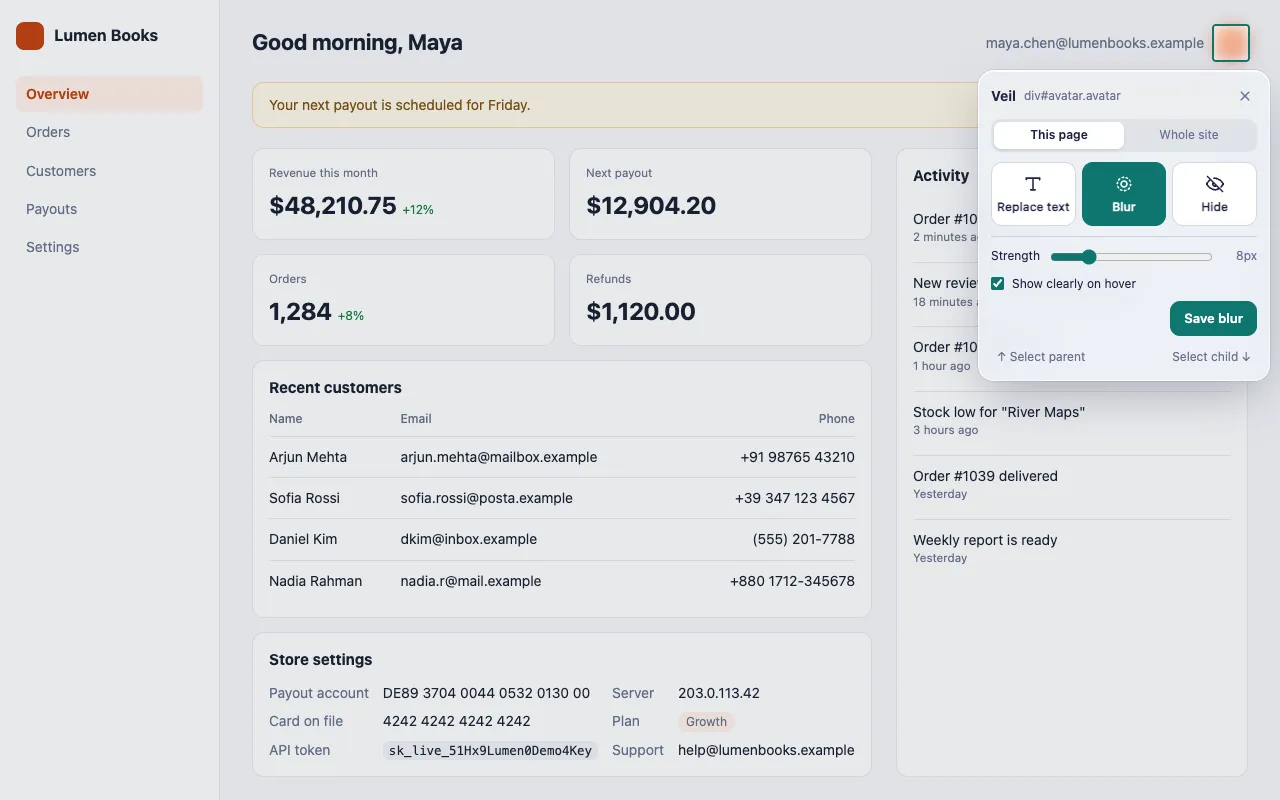
Blur
See the result while you drag the strength slider. You can have the element show clearly while you hover over it.
Hide
Keep the blank space, or remove the element so the page closes up around it.
Replace text
Type new text directly on the page. It keeps the site's font, size and color.
Your changes come back on every visit
Apply a change to one page or to the whole site. Veil applies it again when the page loads, also on single-page apps. Turn rules on and off from the popup, and undo any save for 5 seconds.
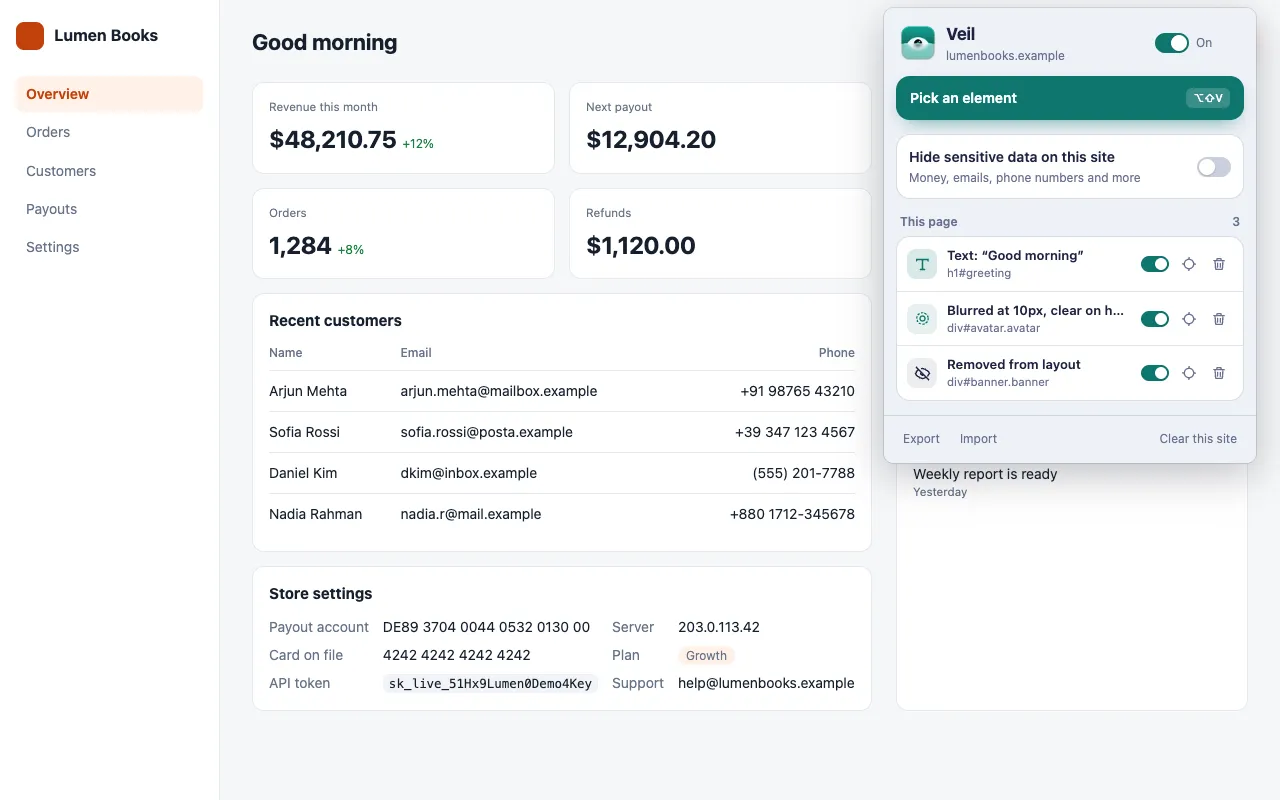
Keyboard shortcuts
Change them at chrome://extensions/shortcuts.
- Pick an elementAlt+Shift+V
- Pause or resume all changesAlt+Shift+X
- Show hidden data for a momentAlt+Shift+M
Veil makes no network requests.
Nothing leaves your browser
No analytics, no tracking and no remote code.
Your rules stay on your device
Export them to a file when you want to move them.
Open source
Read every line on GitHub. Released under the MIT License.
What Veil cannot do
Veil hides data visually only. The page's own scripts can still read it. Veil cannot reach data inside iframes, canvas charts or images. Read the privacy policy.
Install Veil
- 1
Open Veil on the Chrome Web Store and click Add to Chrome.
- 2
Pin Veil from the puzzle-piece menu.
- 3
Open a site, click the Veil icon, and click Pick an element.