Hide your balance from anyone looking at your screen
Veil is a free Chrome extension that masks money amounts on any website: your bank balance, your salary in a payroll tool, your shop’s revenue. Turn it on once for a site, and every amount on it is covered on every visit, whether someone is sitting next to you or watching your shared screen.
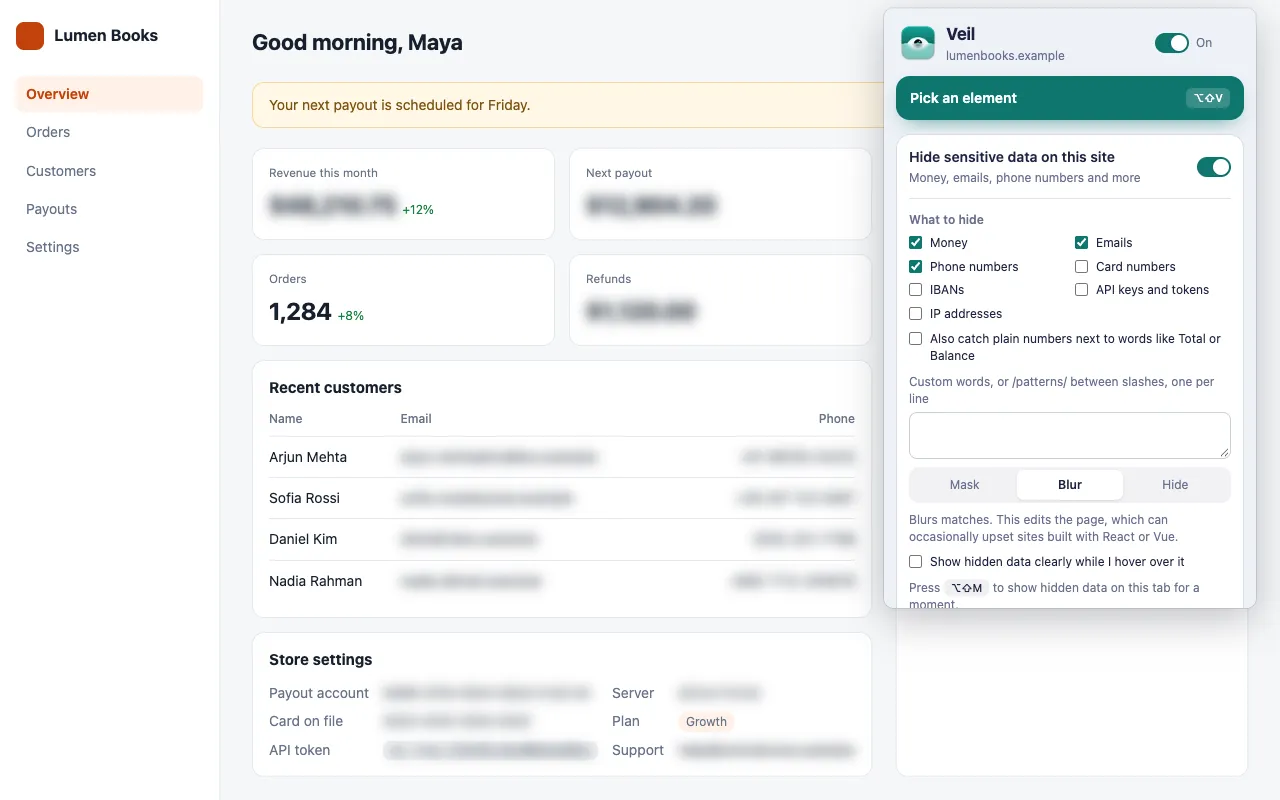
How do I hide my bank balance in Chrome?
Open your bank’s website, click the Veil icon, and turn on Hide sensitive data on this site. Money is selected to start with, so every amount on the site is masked straight away.
- Open the site that shows the amounts.
- Click the Veil icon and turn on Hide sensitive data on this site.
- Choose a style: Mask (a grey bar), Blur or Hide.
The setting applies to the whole site, on every visit.
Which amounts does Veil recognize?
Veil masks a number when a currency symbol or code sits before or after it:
| Form | Examples |
|---|---|
| Symbols | $1,240.50, 1.240,50 €, £99, ৳ 5,000, ₹3 lakh, 50¢ |
| Prefixed dollars | US$1,000, A$250 |
| Short forms | Rs. 2,500, Tk 500, RM 40 |
| Currency codes | USD 99, 99 BDT, CHF 1'250.00 (47 codes) |
| Suffixes | $1.2k, €3M, ₹2 crore, $4 billion |
Veil also catches amounts split across elements, such as <span>$</span><span>1,240</span>, and input fields whose value has a currency or whose label says price, amount, total or similar. See What counts as money?
What about numbers without a currency sign?
Turn on Also catch plain numbers next to words like Total or Balance. Veil then masks plain numbers next to words like Total, Balance, Price, Revenue or Fee, including Balance | 5,000 table cells.
This setting is off by default because it catches more false matches.
Will Veil hide numbers that are not money?
Veil skips version numbers, years, percentages and phone numbers. If it still covers something that is not sensitive, pick the element, or right-click it and choose Veil this element, then click Keep this visible when hiding sensitive data.
How do I check my balance for a moment?
Press Show hidden data (Alt+Shift+M) to show the amounts on the current tab, and press it again to hide them. With the Blur style, you can also turn on Show hidden data clearly while I hover over it.
Does it work on every banking site?
It works on any http or https page in Chrome, with these limits:
- Charts drawn on a
<canvas>and images are out of reach. Pick the chart’s panel and hide or blur it. - On a slow page, an amount can show for a moment before Veil’s first scan.
- Veil hides amounts on screen only. The site’s own scripts can still read them.
See Known limits.
Get Veil
Veil is free, open source under the MIT License, and needs no account. It makes no network requests, and your rules stay on your device.
Add Veil to Chrome. Need to hide a client’s name too? Read how to hide specific words and names.